
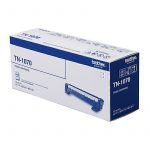
 Toner Cartridges
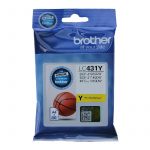 Ink Cartridges
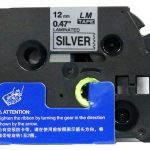 P-Touch Label Tapes
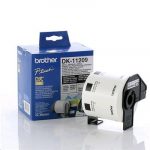 Thermal Labels & Rolls
 Toner Cartridges
 Ink Cartridges
 DYMO Label Rolls
 DYMO Label Tapes
 Toner Cartridges
 Ink Cartridges
Printer Ink & Toner FAQ NZ
Printer Ink and Toner Frequently Asked Questions
Find answers to common questions about compatible ink cartridges, toner cartridges, cartridge chips, delivery, returns and choosing the right replacement for your printer.
Will Compatible Cartridges Damage My Printer?
Compatible cartridges are designed for the printer models listed with each product. Ink or toner itself should not damage a printer when the correct cartridge is installed and used according to the printer manufacturer’s instructions.
Will Cartridges With Chips Work?
Where a cartridge requires a chip, the compatible cartridge should be supplied with the appropriate chip. Check the individual product listing for compatibility before ordering.
Why Are Compatible Cartridges Less Expensive?
Compatible cartridges can cost less than branded genuine cartridges because they are produced by third-party manufacturers rather than the original printer brand. This gives customers another option for reducing printing costs.
Do Compatible Cartridges Have Enough Ink or Toner?
Cartridge capacity varies by product. Check the individual listing for cartridge type, capacity and page yield where available. High-yield cartridges can be a useful option for customers who print frequently.
What If a Cartridge Does Not Work?
First check that you ordered the correct cartridge for your printer model and that it has been installed correctly. If you still have a problem, contact Inkshop and we will help troubleshoot the issue. Where a cartridge is confirmed faulty, our guarantee and returns process applies.
Can Compatible Cartridges Affect My Printer Warranty?
Warranty terms are set by each printer manufacturer and can differ between brands and models. Check your printer manufacturer’s warranty terms if this is a concern.
When Will My Order Be Dispatched?
Orders paid by credit card before 2:00pm on a working day are generally dispatched the same day. Orders paid after 2:00pm or over the weekend are generally dispatched on the next working day. Delivery times can vary by destination.
What If I Am Not Happy With My Cartridge?
Contact Inkshop at shop@inkshop.co.nz and we will help resolve the issue. Depending on the circumstances, replacement, refund or another appropriate solution may be available under our returns and guarantee policy.
Need Help Finding the Right Cartridge?
Visit the Inkshop online shop or browse our Brother, Canon, Epson and HP ranges. If you are unsure, contact us with your printer model and cartridge number.
Printer Cartridge Buying Checklist
- Confirm the printer brand and exact model number.
- Check the cartridge number, such as a Brother TN or Canon PGI/CLI series.
- Confirm the cartridge is listed as compatible with your printer.
- Check colour, pack size and page yield before ordering.
- For laser printers, check whether the product is a toner cartridge, drum unit or both.
- Keep your order confirmation and contact Inkshop if the cartridge does not install or print correctly.
Ink vs Toner: Which One Do I Need?
| Cartridge type | Used in | What to check |
|---|---|---|
| Ink cartridge | Inkjet printers | Printer model, cartridge number and colour |
| Toner cartridge | Laser printers | Printer model, toner number and yield |
| Drum unit | Some laser printers | Whether the printer uses a separate drum |
Related Inkshop Guides
- Toner vs ink cartridges: what is the difference?
- Printer ink and toner buying guide for NZ
- Browse printer ink and toner cartridges
- Delivery, returns and replacement information
- Contact Inkshop for cartridge support
Common Printer Cartridge Problems
Some cartridge problems are caused by an incorrect model, incorrect installation, a blocked print head, an empty cartridge, a printer maintenance message or a cartridge chip that is not being recognised. Start by checking the cartridge number and printer model, then remove and reinstall the cartridge according to the printer manufacturer’s instructions.
For inkjet printers, a printer may need a cleaning or alignment cycle after a cartridge change. For laser printers, check whether the issue relates to toner, the drum unit or another consumable. Do not force a cartridge into the printer if it does not fit correctly.
When You Should Contact Inkshop
- You are unsure which cartridge number your printer needs.
- The product page lists several similar cartridge numbers.
- A compatible cartridge does not install or print correctly.
- You need help understanding ink, toner or drum-unit options.
- You want to confirm delivery or returns before ordering.
When contacting us, provide your printer model and cartridge number if available. These details make it much easier to identify the correct replacement.