Our Store Located: 23C James Road Manurewa Auckland
Cell No: 0221562297
Our Store Located: 23C James Road Manurewa Auckland
Cell No: 0221562297
Showing all 9 results
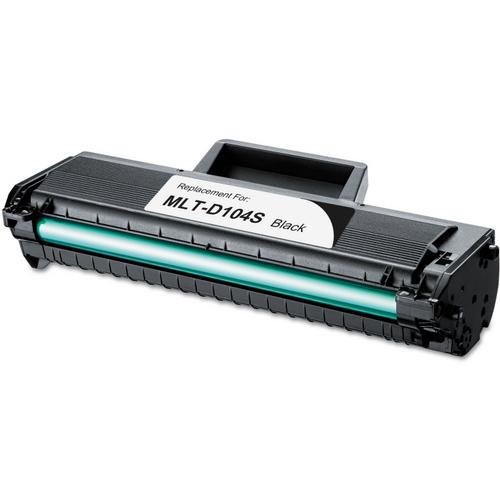
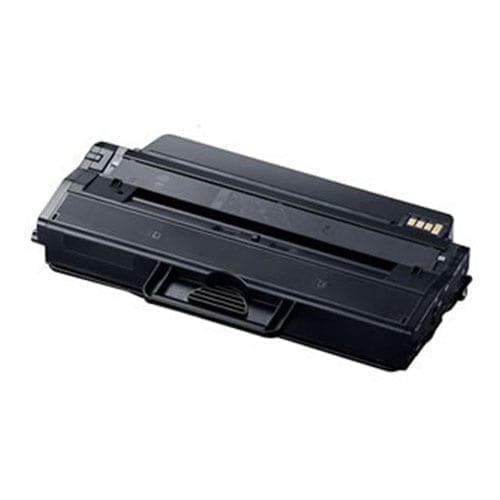
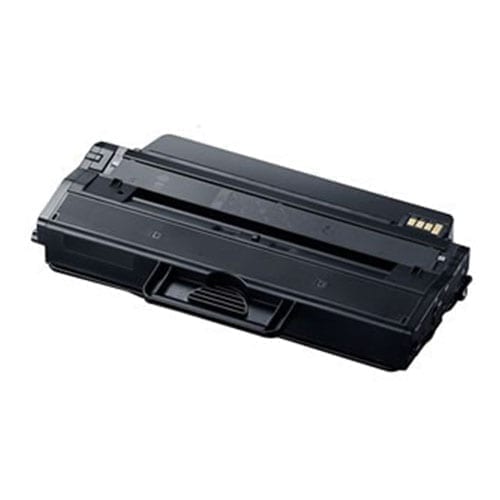
Samsung Printer Toner NZShop Samsung printer toner and compatible Samsung toner cartridges at Inkshop for selected laser printers in New Zealand. Samsung laser printers use model-specific toner references, so the safest way to choose a replacement is to match the exact printer model and cartridge number. This category is designed to help customers identify Samsung toner, compare compatible options, understand page yield, and order the correct consumable for home, office and business printing.How Do I Find the Correct Samsung Toner?Start with the full model number of your Samsung laser printer. Check the label on the printer, printer settings, original packaging or user documentation. Then identify the toner reference from the existing cartridge or product information. Samsung toner numbers can look similar across printer families, so do not select a cartridge only because it is black or because the printer brand matches. Compare the complete reference and supported printer models before ordering.Identify the complete Samsung printer model.Read the toner reference on the existing cartridge.Confirm black or colour requirements.Compare standard and high-yield versions where available.Check the product listing for supported models.Compatible Samsung TonerCompatible Samsung toner is produced by a third-party manufacturer for specified Samsung laser printer models. It can provide a practical alternative for customers who want to manage regular printing costs while continuing to use an existing printer. Compatibility remains the most important factor. A cartridge should be selected by its toner reference and supported printer models rather than appearance alone. For everyday documents, invoices, reports, schoolwork and business printing, a correctly matched compatible toner can be a convenient replacement.Samsung Laser Printer Toner for DocumentsLaser printers are commonly used for text-heavy printing because toner is designed for electrophotographic printing. Samsung laser systems can be found in home offices, small businesses and workgroups. If your printer is used frequently, compare toner capacity and page yield as well as the purchase price. High-yield options may reduce the number of replacements required, while standard cartridges can suit occasional printing. Actual yield varies according to page coverage, document content, printer settings and machine condition.Standard vs High-Yield TonerFactorWhy it mattersPrinter modelConfirms the correct toner family.Toner referenceIdentifies the specific consumable.YieldHelps estimate how many pages the cartridge may print.CapacityCan influence replacement frequency.PriceShould be considered alongside yield rather than alone.For regular printing, compare approximate cost per page by dividing cartridge price by stated page yield. This is only an estimate and actual results can vary significantly with page coverage.Samsung Toner and Drum UnitsSome laser printers use toner and imaging components that may have different replacement schedules. Do not assume that replacing toner also replaces every imaging component. If your Samsung printer displays a maintenance or imaging warning, check the model-specific instructions before purchasing a replacement. Inkshop also offers selected drum-related consumables where available. Match the exact component reference rather than ordering a toner cartridge simply because it is associated with the same printer.How to Check Samsung Toner CompatibilityLook for the printer model on the machine or within its software. Then compare the complete toner reference from the current cartridge. If the cartridge is still installed, keep it until the replacement has arrived. Check every letter and number, including capacity or suffix information where present. If you cannot identify the correct product, contact Inkshop with the full printer model and existing toner reference.Installing Samsung TonerFollow the installation instructions for the exact printer model. Open the cartridge area, remove the old toner as directed and prepare the replacement according to the manufacturer’s instructions. Do not force the cartridge into the printer. After installation, close the access door securely and allow the printer to complete its initialisation or calibration sequence if required. If the printer does not recognise the cartridge, check that all protective materials have been removed and that the cartridge is seated correctly. For persistent errors, consult the manufacturer’s technical guidance.Compatible vs Genuine Samsung TonerGenuine Samsung toner is sold under the original Samsung brand. Compatible toner is produced by third parties for specified printer models. A compatible cartridge can be a practical alternative for customers who want to manage printing expenditure. Businesses with procurement, warranty or contractual requirements should check whether genuine supplies are required. For everyone else, accurate model matching, cartridge reference and expected yield are the key factors to compare.Using Samsung Toner for Business PrintingFor businesses, reliable access to toner can be important when invoices, reports, forms or customer documents need to be printed regularly. Consider keeping a spare cartridge for printers that are critical to daily operations. Monitor toner levels and avoid waiting until the cartridge is completely empty if a replacement is already needed. Store spare toner according to manufacturer recommendations and protect it from excessive heat, moisture and rough handling.Helpful Inkshop ResourcesBrowse the Inkshop printer supplies shop for toner and ink products. Explore the toner cartridge range for other laser printer brands. Read our printer ink and toner buying guide NZ for help comparing cartridge types, yield and value. Our printer ink and toner FAQ answers common questions about compatibility and replacement.Official Samsung InformationFor model-specific manuals, support information and technical instructions, use the official Samsung New Zealand website. Manufacturer documentation should take priority for printer maintenance, error messages and technical procedures.Order Samsung Toner Online NZInkshop makes it easier to compare compatible Samsung toner options for selected laser printers across New Zealand. Before ordering, confirm your printer model, toner reference, colour and capacity. If you print frequently, compare the stated yield with the purchase price to estimate value. If you are uncertain, contact Inkshop with your complete printer model and existing cartridge reference before ordering.Samsung Toner FAQsHow do I know which Samsung toner fits?Match the complete printer model and toner reference with the compatibility information shown on the product listing.Is compatible Samsung toner suitable for office printing?A correctly matched compatible toner can be used for everyday printing. Check any workplace or procurement requirements before purchasing.Does higher yield always mean better value?Not necessarily. Compare the cartridge price with its stated yield and your actual print volume.Can I use toner from another Samsung model?Only if the product is specifically listed as compatible. Similar-looking cartridges should not be assumed to be interchangeable.
In stock
In stock
In stock
In stock
In stock
In stock
In stock
In stock
No account yet?
Create an Account
 Toner Cartridges
 Ink Cartridges
 P-Touch Label Tapes
 Thermal Labels & Rolls
 Toner Cartridges
 Ink Cartridges
 DYMO Label Rolls
 DYMO Label Tapes
 Toner Cartridges
 Ink Cartridges