
 Toner Cartridges
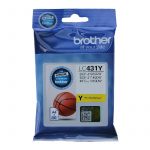 Ink Cartridges
 P-Touch Label Tapes
 Thermal Labels & Rolls
 Toner Cartridges
 Ink Cartridges
 DYMO Label Rolls
 DYMO Label Tapes
 Toner Cartridges
 Ink Cartridges
Finding the correct printer ink cartridge is easier when you use the printer model and cartridge number together. Buying by colour alone is risky because many cartridges look similar but are designed for different printers.
Quick answer
Locate the exact printer model, check the cartridge number shown on the old cartridge or in the printer manual, and then confirm both details against the replacement cartridge’s compatibility list.
Step 1: Find your printer model
Look on the front, top or rear of the printer. The model name may also appear in your computer’s printer settings or the manufacturer’s mobile app.
Step 2: Find the cartridge number
The cartridge reference is often printed on the cartridge label or packaging. It may contain letters and numbers, such as Brother LC431 or Canon PGI-5.
Step 3: Check compatibility
Use the exact printer model to confirm that the cartridge is designed for your machine. If several cartridge numbers are listed, make sure you choose the correct one for your printer generation.
Why cartridge numbers are important
Cartridge numbers identify the physical design, ink system and printer compatibility. Two cartridges from the same brand can be completely different and cannot necessarily be substituted for one another.
Examples from Inkshop
For compatible Brother printers using LC431, you can compare the Brother LC431 Black cartridge, LC431 Cyan, LC431 Magenta and LC431 Yellow.
What if you cannot find the number?
Search the printer’s user manual, printer settings or manufacturer’s support information. You can also inspect the installed cartridge carefully. Never guess based only on the cartridge’s shape.
Before you order
- Confirm printer brand.
- Confirm exact printer model.
- Confirm cartridge reference.
- Check black versus colour.
- Check standard versus high-yield where applicable.
- Review the seller’s compatibility list.
FAQ
Can I use any cartridge from the same brand?
No. Printer brands have many cartridge families, and compatibility is specific to the printer and cartridge combination.
Is the printer model enough?
The printer model is an excellent starting point, but checking the cartridge reference as well gives you an additional compatibility check.
What should I do if two cartridge numbers appear compatible?
Check your printer documentation and the cartridge manufacturer’s compatibility information before ordering.